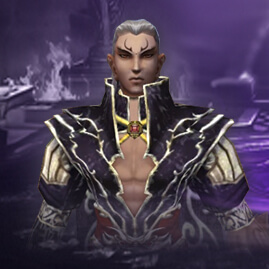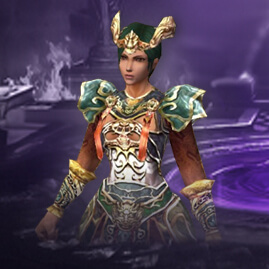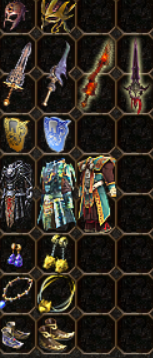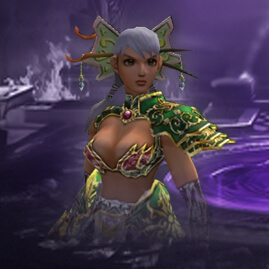



## Features
* **Imports Metin2 / Granny2 models** in `.gr2` format.
* **Imports separate `.gr2` animation files** and applies them to the selected skeleton.
* **Converts GR2 skeletons** into editable Blender Armatures.
* **Animations can be played, edited, or created from scratch** in Blender.
* **Exports models and Armatures back** into `.gr2` format.
* **Exports Blender animations** as separate GR2 animation files.
* **Supports meshes, materials, UV coordinates, skinning, and bone weights.**
* **Automatically searches** for matching Metin2 textures.
* **Automatically generates Normal and ORM maps** from the original texture.
* **Adjustable strength** for Normal Map, Roughness, Occlusion, and Metallic settings.
* **Includes tools** to toggle bone visibility and texture previews.
* **Supports Blender 5.2 LTS.**
---
## Installation
1. **Download** the `metin2_gr2_toolkit-0.0.2-alpha-windows-x64.zip` file.
2. **Do not unzip** the ZIP file.
3. **Open** Blender 5.2 LTS.
4. **Go to** `Edit → Preferences → Get Extensions`.
5. **Open the menu** in the top right corner and select `Install from Disk`.
6. **Select** the downloaded ZIP file.
7. **Enable** the `Metin2 GR2 Toolkit` extension.
8. **In the 3D Viewport**, press the `N` key to open the sidebar.
9. **Select** the `Metin2 GR2` tab.
*Poze / Video:
![[Program] Metin2 Blender 3D GR2 Toolkit – Alpha 0.0.2 - Mesaj 1 - Imagine 1](https://i.imgur.com/pGvP37b.jpeg "[Program] Metin2 Blender 3D GR2 Toolkit – Alpha 0.0.2 - Mesaj 1 - Imagine 1")
*Link download / Code:
 la acest mesaj și conținutul se va afișa automat.
*Link scanare VirusTotal (obligatoriu):