Revin după o lungă pauză de aproximativ 100 de ani de stat pe bară cu instalarea acestui
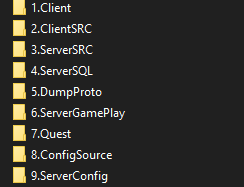
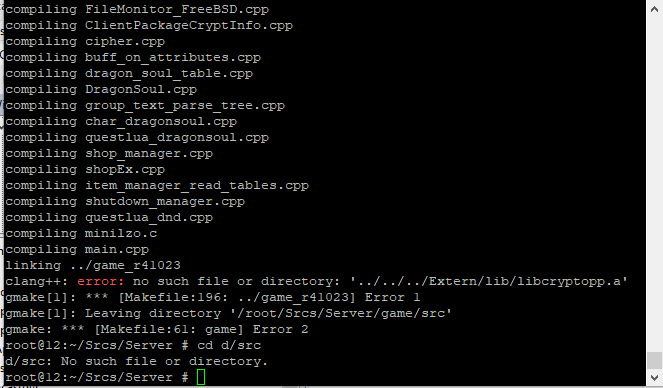
SVF pe host. Pentru a vă ușura munca, am compilat deja libcriptopp.a din ambele surse. Practic, tot ce trebuie să faceți acum este să copiați fișierele și să urmați comenzile în ordinea în care sunt prezentate mai jos.
Nu uitați de programele necesare! Schimbați limba dacă este nevoie (implicit este setată în română).
Și foarte important: copiați de la finalul postării fișierul SVF deja compilat – astfel nu mai este nevoie să înțelegeți de ce există 10.000 de arhive extern în postarea originală.
NEEDS:
Freebsd 14.0+ (CLEAN)
VISUAL STUDIO 22
WINSCP
PUTTY
NAVICAT
-------------------------------------------MYSQL INSTALL START----------------------------------------
1. pkg install -y mariadb1011-server gmake python python3 (OPTIONAL - git)
2. sysrc mysql_enable="YES"
3. service mysql-server start
4. mysql
5. SET PASSWORD FOR root@localhost=PASSWORD('password');
6. exit
7. sed -i '' -e 's/^bind-address[[:space:]]*=[[:space:]]*127\.0\.0\.1/bind-address = 0.0.0.0/' /usr/local/etc/mysql/conf.d/server.cnf
8. service mysql-server restart
-------------------------------------------MYSQL INSTALL END----------------------------------------
-------------------------------------------SOURCE/SVFILES INSTALL START----------------------------------------
1. cd /
2. mkdir home
**Now we need to add s3ll_server & s3ll_svfiles in home directory** (gmake libcryptopp.a -j4 gmake all -j4 already used.)
**CHECK LANGUAGE < IF NOT ROMANIAN, rename locale_string.txt to locale_string_RO.txt and translate.lua to translate_RO.lua than rename to default for specific language.
3. cd /home/s3ll_svfiles/sql
4. sh
run.sh
5. cd /home/s3ll_svfiles/main
6. python admin_panel.py gen
7. python admin_panel.py
quest
8. python admin_panel.py symlink
9. python admin_panel.py start
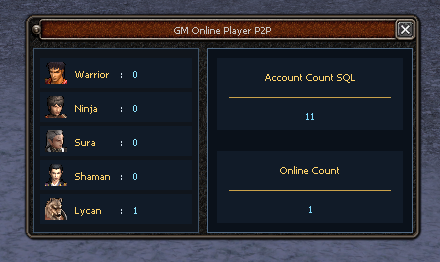
**Now server must be ONLINE**
-------------------------------------------SOURCE/SVFILES INSTALL END----------------------------------------
-------------------------------------------NAVICAT----------------------------------------
** HOW TO CONNECT TO NAVICAT START**
New connection > mariadb
^^^^^General tab :^^^^^
Connection name : Name
Host: localhost
Port: 3306
User Name: root
Password: (mysql password)
^^^^^SSH tab:^^^^^
Use SSH tunnel >YES<
Host: IP ADRESS
Port: 22( check host if not working)
User Name: root
Password: (root password from host)
** HOW TO CONNECT TO NAVICAT END**
** HOW TO CREATE ACCOUNT**
Go to console or press F6
select password ('password');
Than copy the password on account tab!
*4ACFE3202A5FF5CF467898FC58AAB1D615029441 = admin
-------------------------------------------NAVICAT----------------------------------------
For any further question , read Faq folder from Utils.
## UPDATE 10/07/2025 ##
LINK DOWNLOAD FOR COSTUMER NEEDS PACKAGE -
*Link download: Reacționează

la acest mesaj și conținutul se va afișa automat.




![[Stabil] Serverfiles MartySama 5.8 r642 p21 (Ultima versiune - Clean) - Mesaj 41 - Imagine 1](https://i.imgur.com/L99OT9F.jpeg "[Stabil] Serverfiles MartySama 5.8 r642 p21 (Ultima versiune - Clean) - Mesaj 41 - Imagine 1")











 - aici ne-am strans toata comunitatea de Metin2 din Romania.